Share request updates and reply to request emails
Add request-specific notification addresses and understand who may receive updates.
Add request-specific notification addresses
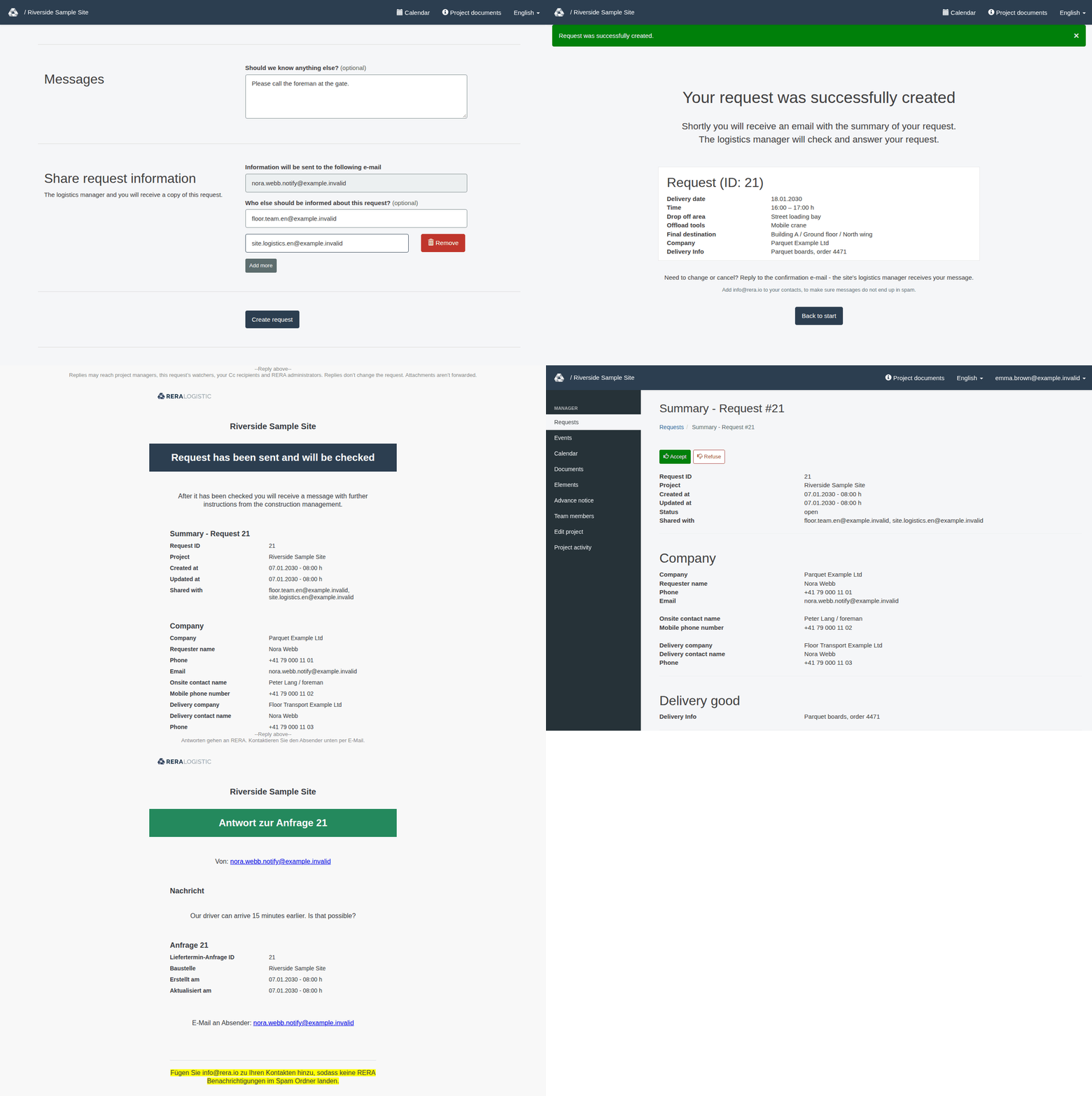
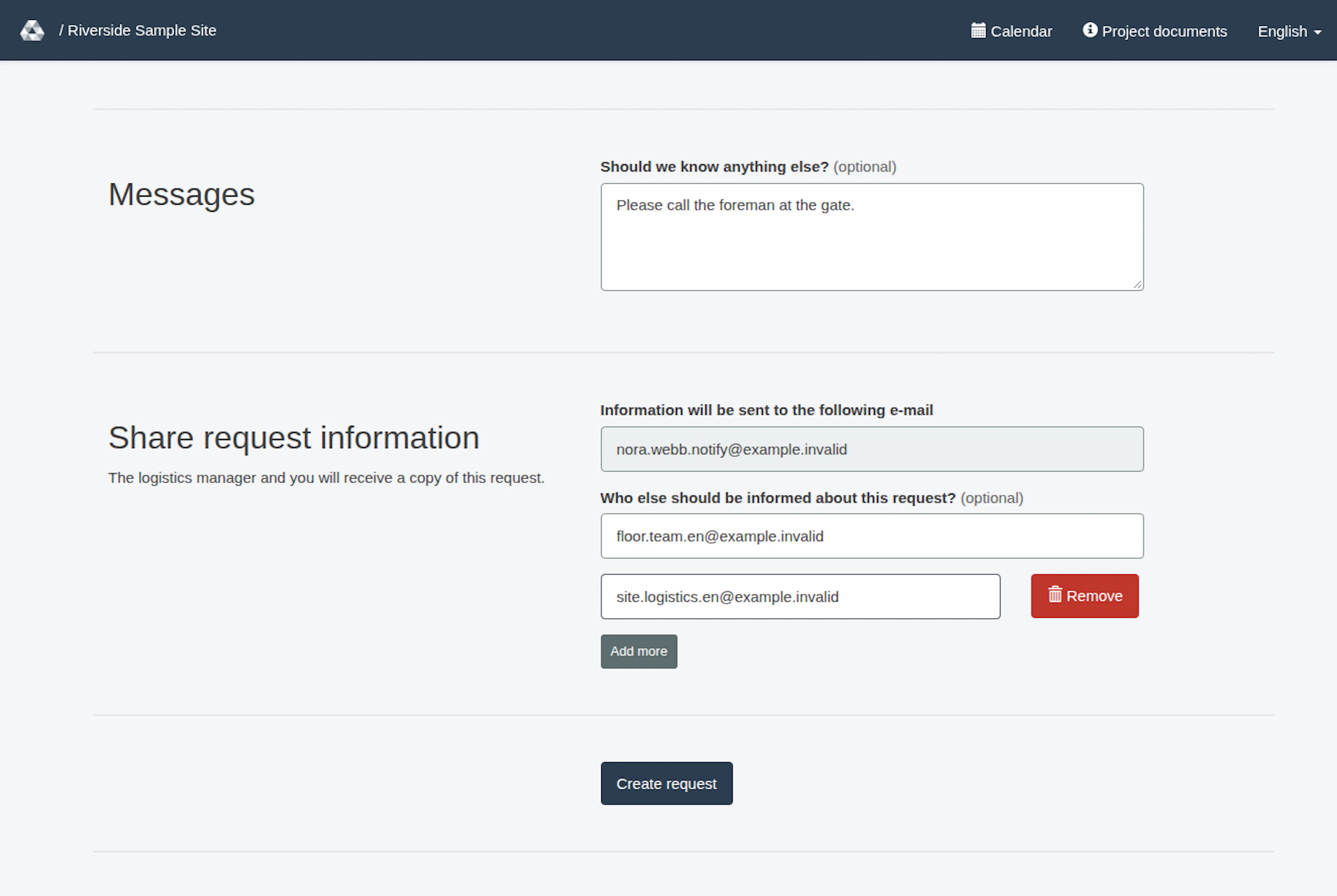
For a new request, the booking form has a section Share request information, below Messages. The first field, Information will be sent to the following e-mail, shows your own address and cannot be changed. In Who else should be informed about this request? (marked “(optional)”), enter the email address of a person who should also receive information about this request. Select Add more for another address. Use Remove when it is shown, or clear an optional address field to remove its address. Empty fields are ignored. Check each address carefully before you select Create request.
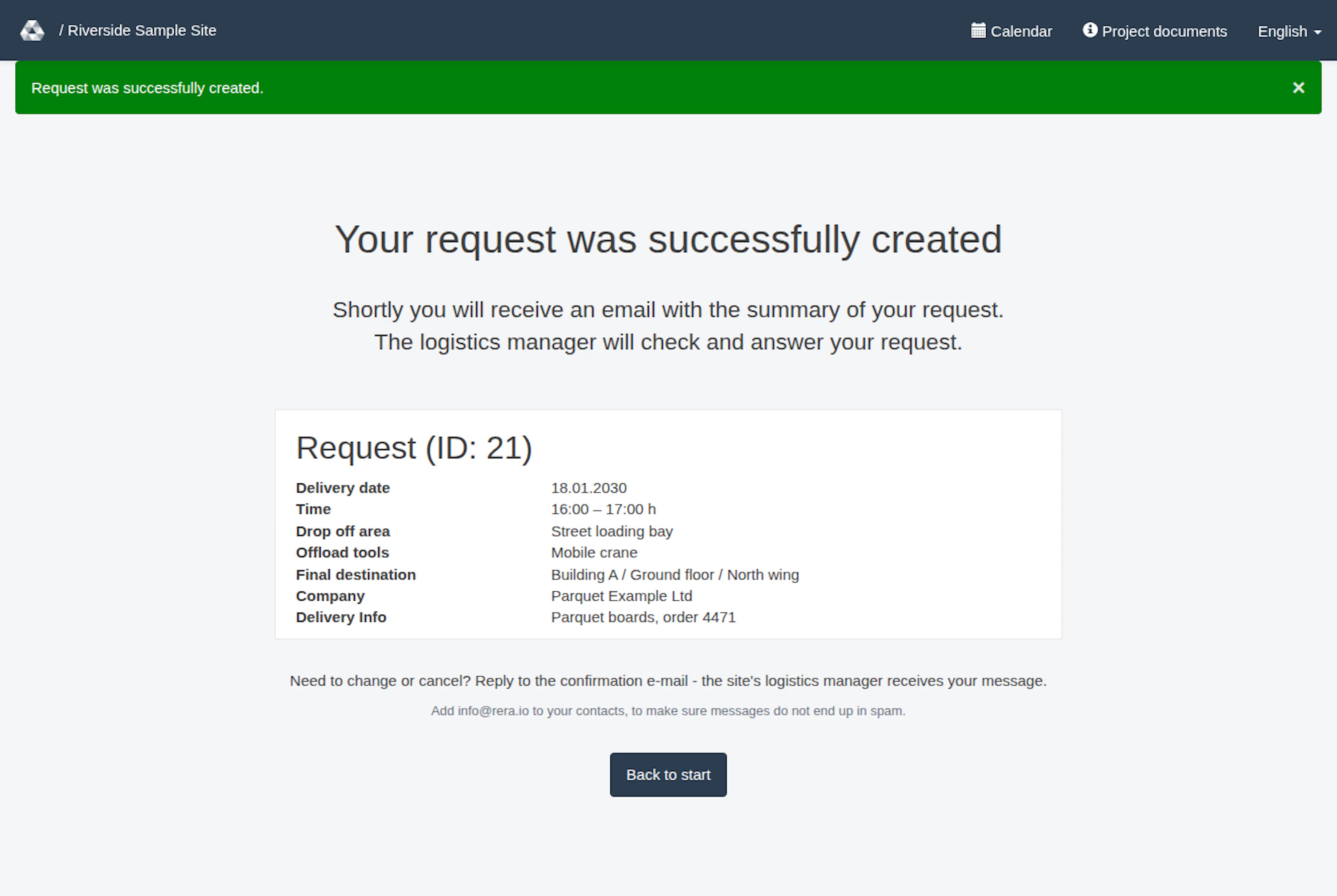
These are request-specific watcher addresses. They are notification recipients; adding someone here does not make them a project manager or grant access to manage requests. After you submit, the page Your request was successfully created confirms the request. It shows a summary of what you booked and tells you to reply to the confirmation e-mail if you need to change or cancel the request. The extra addresses are listed in the row Shared with on the request page and in the request summary of the emails.
The project may also have active managers and project watchers who receive certain request notifications. A watcher subscription by itself is not a project-manager grant. The notification path normalizes addresses, filters disabled accounts and removes duplicates; that processing is not proof of delivery.
Understand request updates
The application has notification messages associated with new requests, resubmissions, approvals, amendments, declines/refusals, and scheduling conflicts. Who receives a particular message depends on its type and the project’s active recipients. For example, the email Request has been sent and will be checked goes to the person who submitted the request. The information copy goes to the active managers and the request-specific addresses: the first address is the recipient and the others are in CC. Project watchers may also receive some notification types, depending on the project and message type. The person who submitted the request should check the message for its intended next step; submission does not imply approval.
For a decline/refusal, an edit link may be included in the separate message addressed to the requester. Information copies are designed not to carry that private link. Do not forward a private edit link to someone who should not be able to change the request.
Reply to a notification
Request confirmations and decision emails use a request-specific reply address. Write your reply above --Reply above--.
Replies may reach project managers, watchers of this request, your Cc recipients and RERA administrators. The recipients depend on the request’s current notification recipients, the Cc addresses on your reply and delivery controls. A reply is forwarded by email only: it does not change the request or add a message to its comments or history, and attachments are not forwarded.
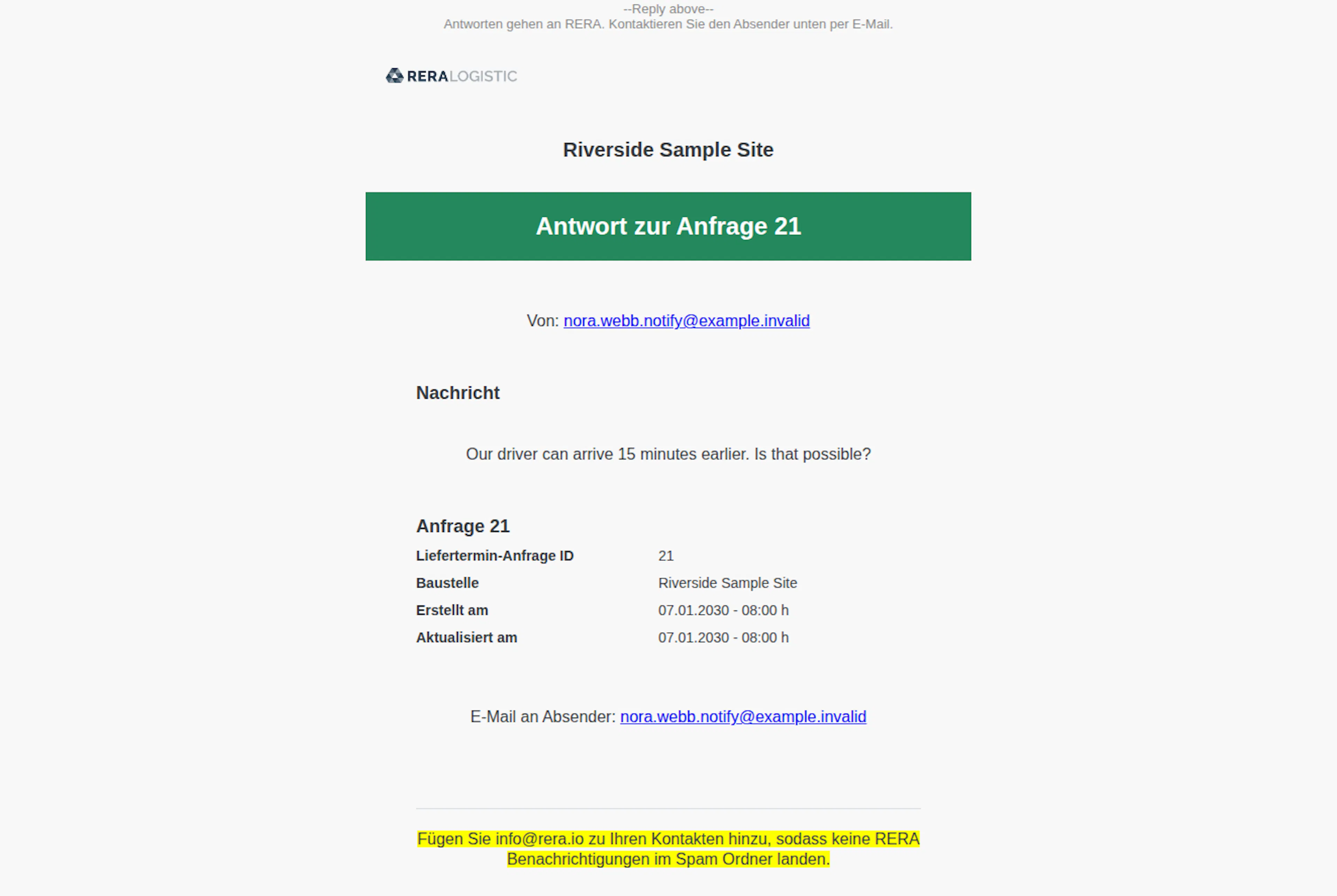
Use the reply to ask the project team to change or cancel the request; the reply does not make that change automatically. RERA’s labels in the forwarded reply are in German; the subject and reply text keep their original wording. Its heading is Antwort zur Anfrage followed by the request ID. Von: shows the sender address in the reply’s From field; Nachricht contains the reply text. The HTML version then shows request details. Both versions show E-Mail an Absender:. The HTML email links that displayed address; the text version prints the address. A normal email reply goes to RERA at info@rera.io; it is not automatically rerouted to the sender.
Without a request-specific watcher or active project manager, RERA does not send a forwarded reply. Otherwise, before delivery filtering, it is addressed as follows:
- To: a request-specific watcher, or an active project manager if there are no request-specific watchers.
- CC: the other request-specific watchers and active managers, plus addresses you copied on your reply.
- BCC: active RERA administrators who are not already in To or CC.
Delivery controls may adjust recipients or restrict or block messages. This does not confirm that the mail provider accepted a reply, that a particular email was delivered, or that inbound forwarding is working for your project. If a message is missing or a reply does not reach the project team, contact the project through its usual support channel rather than assuming that the message was delivered.
For account access, follow the separate sign-in and invitation instructions. See Sign in, recover an account and choose a language.
Notifications and replies
These images show the English RERA interface, captured on 13 November 2026 UTC in a synthetic local project. Example project dates use a synthetic January 2030 clock. The GIF presents selected actual steps. Options depend on the project and your role.