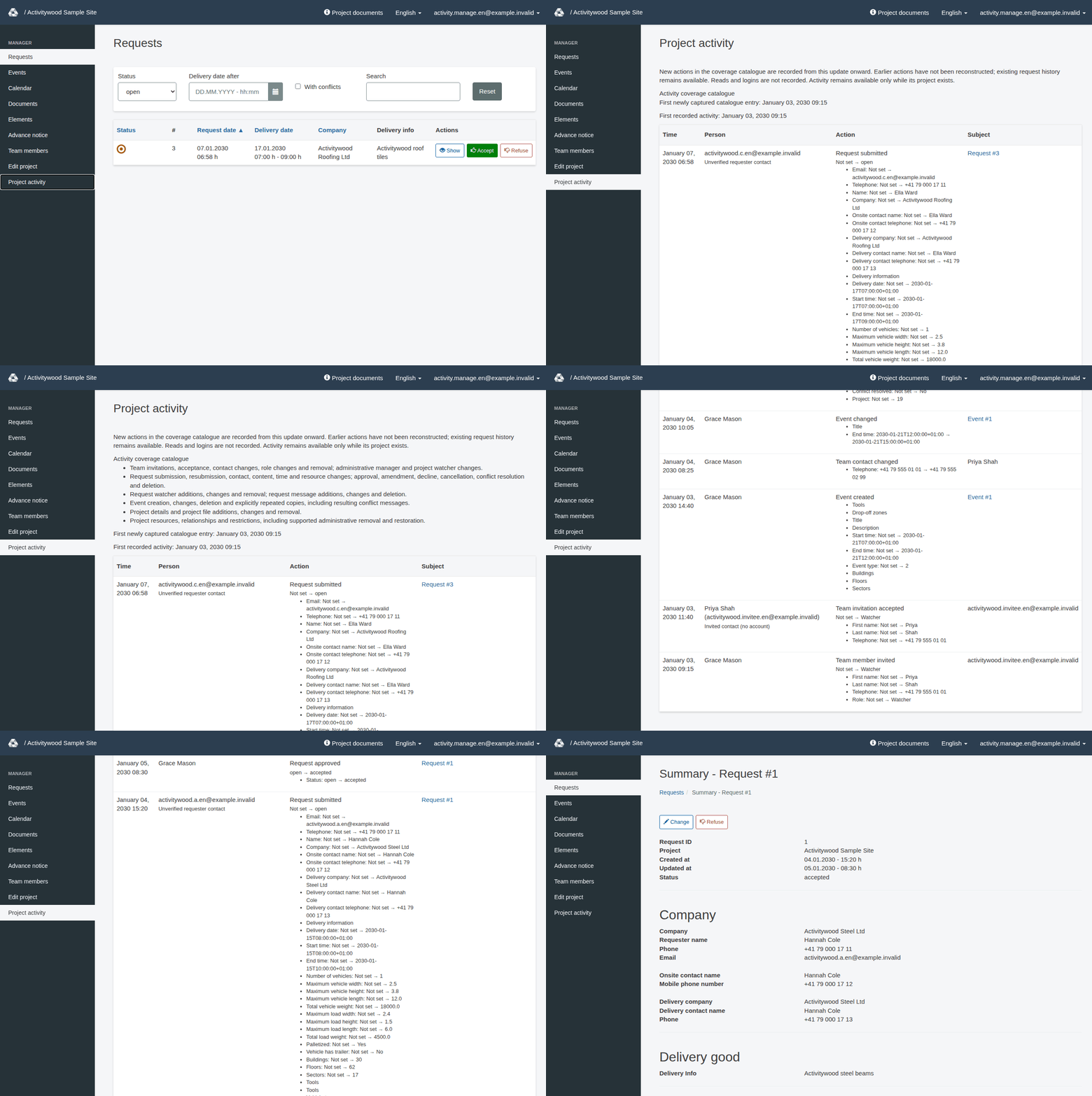
Review project activity
Read recorded project actions, understand field differences and recognize the activity feed's coverage limits.
Project activity helps managers understand recorded changes within a project. Team management must be enabled for the project. Sign in with an active, confirmed and unlocked account, with a password set and any required invitation accepted. You need either the Manager role with a current assignment to this project or global administrator authority. A Watcher subscription does not grant access.
The page is available only when team management is enabled for the project and you have the required permission. Otherwise, the menu has no Project activity entry and the page cannot be opened. Supported actions continue to be recorded even while the page is unavailable.
If you are signed in but not allowed to use the page, RERA sends you to the project start page with a red-framed message with a warning sign: You cannot manage this project.
The feed records a defined catalogue of business actions going forward. It is not a complete history of everything anyone has done in RERA.
Open and read the feed
- Sign in and open the correct project.
- Choose Project activity from the project navigation. On a large screen this is the dark column on the left. On a phone, tap Menu first; the project navigation is the first block of the opened menu.
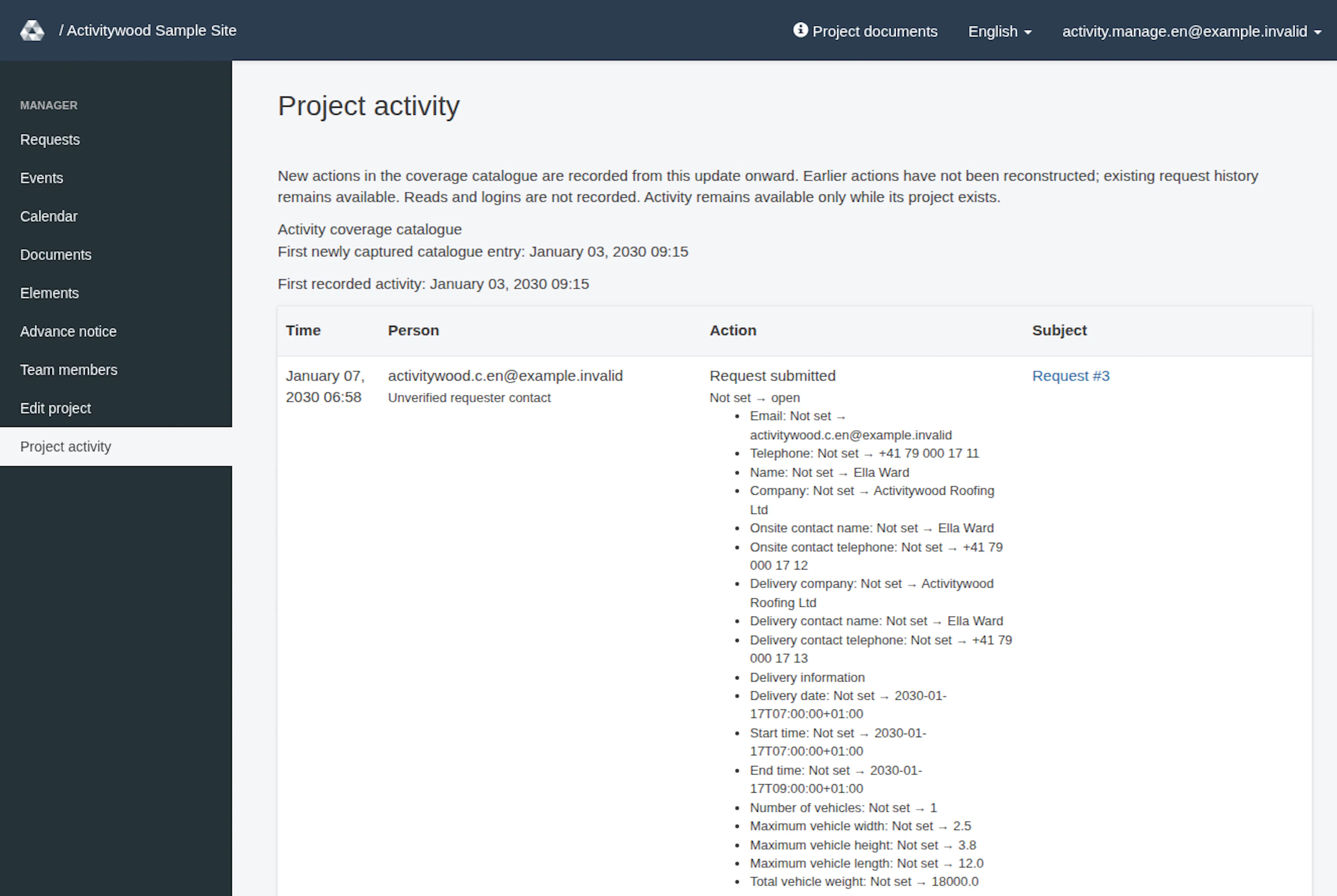
- Read the introductory coverage notice and expand Activity coverage catalogue to see the kinds of actions covered.
- Review the newest entries first. The page displays 25 entries per page; use the pagination controls to reach older entries.
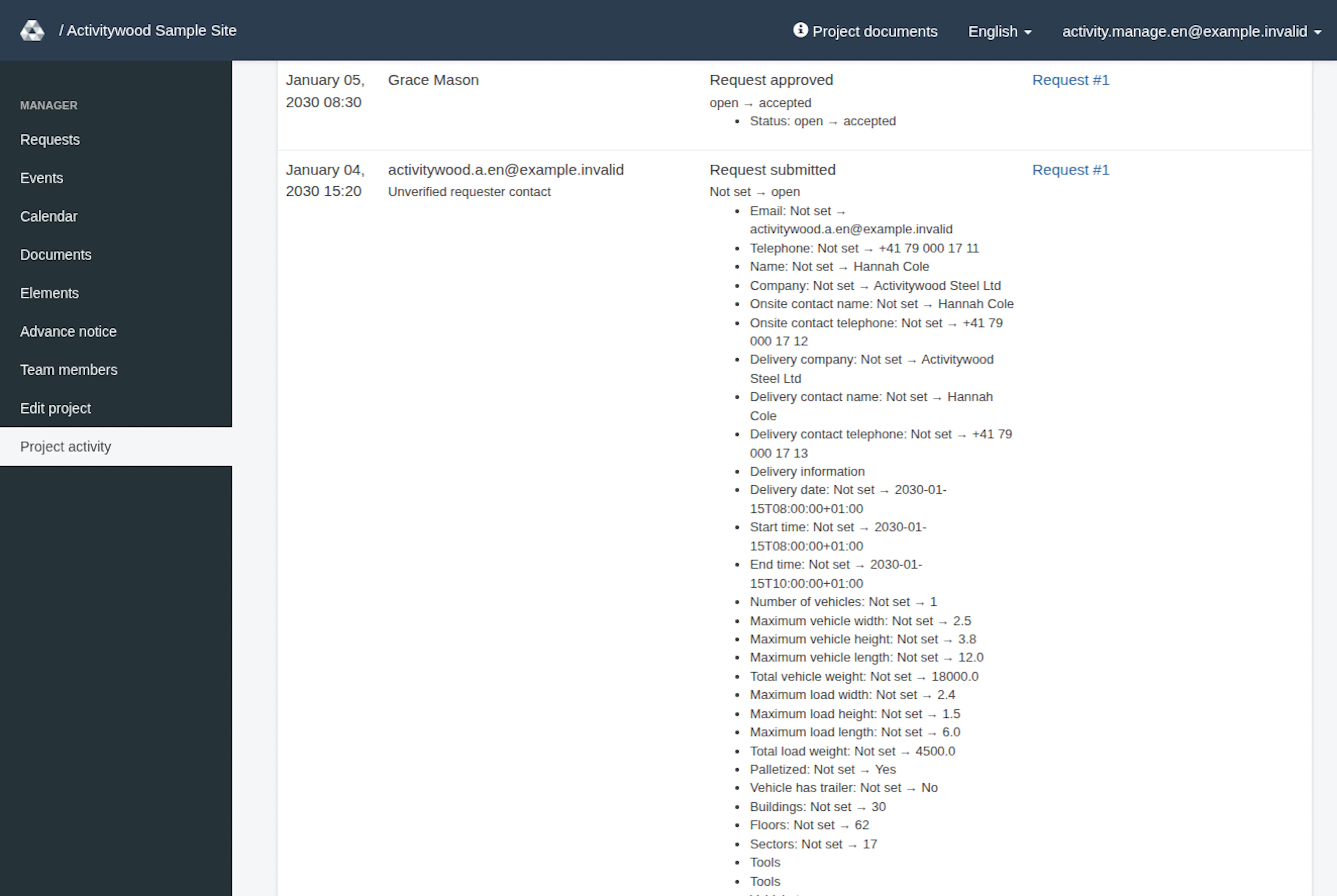
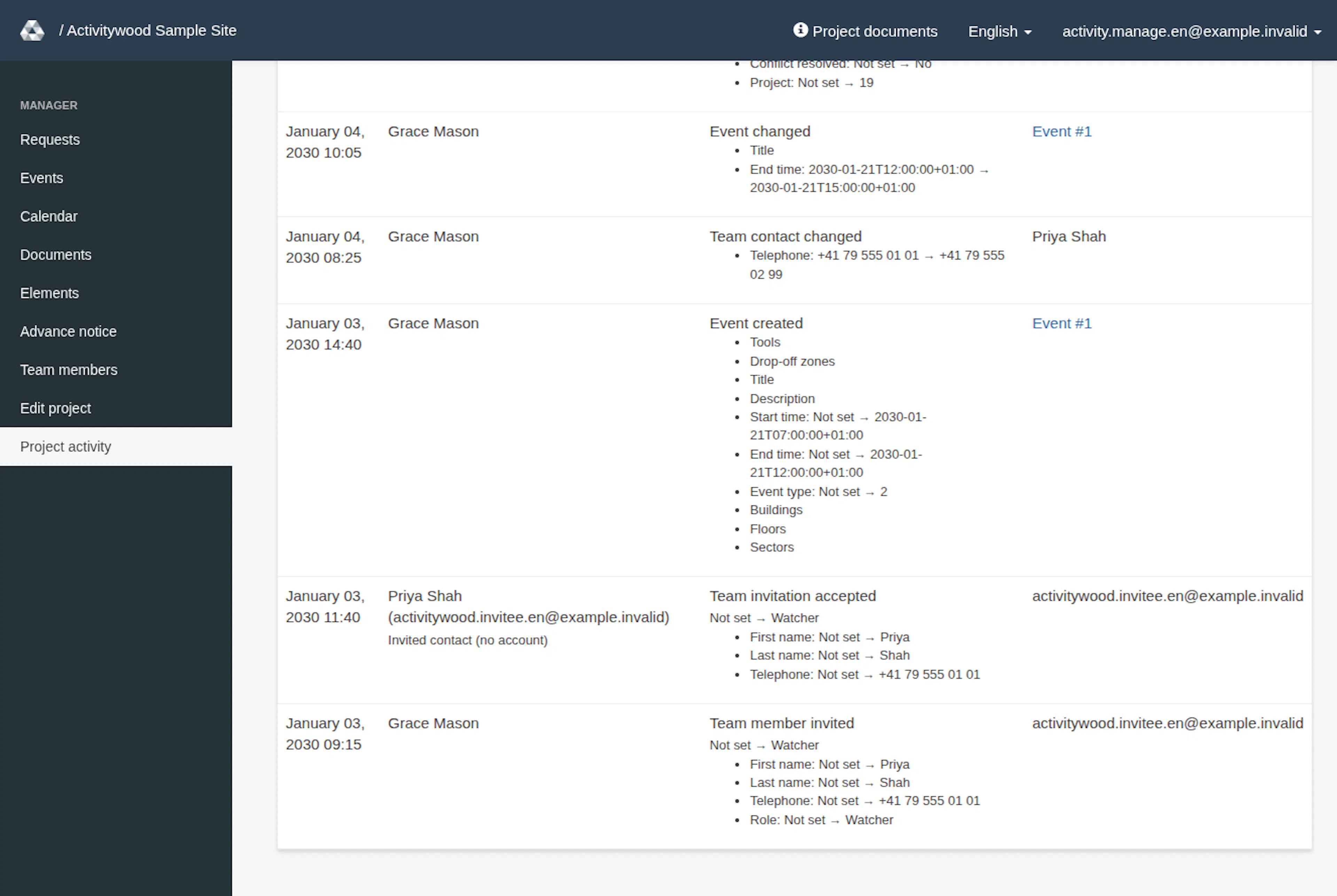
- For an entry of interest, compare Time, Person, Action and Subject. Follow a subject link when one is available to inspect its current details.
When no entries exist, the page says No activity recorded yet. Where available, First recorded activity and First newly captured catalogue entry provide context for the start of recording. These dates do not establish that earlier actions were captured.
Interpret an entry
| Part of the entry | How to read it |
|---|---|
| Time | When the activity entry was recorded |
| Person | The recorded actor label, with an additional identity category where relevant |
| Action | The business action, sometimes with a request-status or team-role transition |
| Field differences | Relevant changed field names; selected fields also show bounded before-and-after values. For a new item the before value is Not set |
| Subject | The affected request, event, member or other project item |
| Repeat information | The position of a repeated event copy where applicable |
Unverified requester contact identifies a requester contact rather than a verified account identity. Invited contact (no account) distinguishes account-free acceptance. System or unknown actor does not prove that a particular person signed in.
Understand coverage
The catalogue includes team invitations, acceptance, contact and role changes, and removal; request submission, resubmission, changes, approval, amendment, decline, cancellation, deletion and conflict resolution; project and request watchers; events and repeated copies; project information and files; resources, restrictions and relationships; and supported request-message changes.
A catalogue entry describes a recorded action. It does not create a new customer command or grant permission to perform that action. Use the relevant task guide, such as Manage team members and watchers, for the actual workflow.
Missing entries and limits
Failed, denied, unchanged or rolled-back operations do not create successful activity. The absence of an entry alone therefore cannot tell you whether somebody attempted an operation. Check the current item and any displayed error before assuming a change succeeded.
Earlier actions are not reconstructed. Reads and logins are not recorded. Existing request history remains available. The feed omits passwords, invitation tokens, sessions, signed file links and full free-text bodies; field values are limited rather than complete document copies.
Recorded person and subject labels can remain readable after renaming or removal while the project exists. Deleted subjects do not receive misleading working links. Activity is not a tamper-proof archive and is not retained by this feature after project deletion.
RERA offers German, English and French language options. The page text, column headings, action names and field names appear in the chosen language. The generated subject labels, such as Request #1, Event #1 or Request #1: message #2, appear in the page language (German: Anfrage #1, Ereignis #1; French: Demande #1, Événement #1). Names, file names and email addresses stay as stored. See Accounts and language.
Element changes and ordering
The catalogue records element names, availability and other supported changes through Elements. Project elements reordered identifies a successful reorder, which records the before/after order for that element type; it changes no booking and sends no notification. See the element list for the current order. If the order changed in another session, review the refreshed list and retry. Moving the first element up or the last element down changes nothing and creates no activity entry.
Review project activity
These images show the English RERA interface, captured on 13 November 2026 UTC in a synthetic local project. Example project dates use a synthetic January 2030 clock. The GIF presents selected actual steps. Options depend on the project and your role.